 Here is a fun project from Club Scrap's "Refresh" Stamp Kit project...it is a perpetual calendar - how nice is that? Use it year after year - add all your dates to remember and hang'r on the wall!!
Sunday, December 7, 2008
Calendar - Perpetual
Here is a fun project from Club Scrap's "Refresh" Stamp Kit project...it is a perpetual calendar - how nice is that? Use it year after year - add all your dates to remember and hang'r on the wall!!

Saturday, December 6, 2008
My Scrapbooking room....
Here is just a few shots of my scrapbooking room - it is always a work in progress, as I search for the best way to store things and make more room for more stuff!! This is a shot of the table that sits to the right of me, that holds my UM stamps and you can see my old computer and the TV in the back area there...
 This is the area for 'guests' which usually is my kids - they love to come in and do lil projects with me!
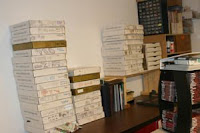 Here is the table that is located to my back - where I stack box after box of my YUMMY CLUBSCRAP kits!!
 This is the holder of my "pounds of paper" that comes each month in my CS kits - they hang on the back of the door to my room.
 Here you can see my storage shelf - I store bottles of paint, sizzix stuff, extra paper, you name it...
 This is some cubies that sit to my left and I store various stuffin's.
 These drawers are on my left, I store sizzix, inks, punches, colored pens, adhesives, some stamps, and hords of other goodies in these!!
 This is above my work station - I store scraps of papers, paper, tools, embellishments, etc up here.
 This is my work station...messy but it works for me for now...
 Just another view!
 This is a shot of the table that sits to the right of me, that holds my UM stamps and you can see my old computer and the TV in the back area there...
 This is the area for 'guests' which usually is my kids - they love to come in and do lil projects with me!
 Here is the table that is located to my back - where I stack box after box of my YUMMY CLUBSCRAP kits!!
 This is the holder of my "pounds of paper" that comes each month in my CS kits - they hang on the back of the door to my room.
 Here you can see my storage shelf - I store bottles of paint, sizzix stuff, extra paper, you name it...
 This is some cubies that sit to my left and I store various stuffin's.
 These drawers are on my left, I store sizzix, inks, punches, colored pens, adhesives, some stamps, and hords of other goodies in these!!
 This is above my work station - I store scraps of papers, paper, tools, embellishments, etc up here.
 This is my work station...messy but it works for me for now...
 Just another view!
Friday, December 5, 2008
Digital Scrapbooking101: Hybrid Projects
HYBRID PROJECTS
Besides just regular layouts you can do so many other fun projects – basically just by creating mini layouts and incorporating into other projects, here are a few fun projects I have done:


Besides just regular layouts you can do so many other fun projects – basically just by creating mini layouts and incorporating into other projects, here are a few fun projects I have done:


Thursday, December 4, 2008
Digital Scrapbooking101: Layout from Scratch
Option Three: ADVANCED
CREATE LAYOUT FROM SCRATCH
In this option you can purchase full digital kits that include various color coordinating digital papers, transparencies, fibers, alphabets, tags, digi-tools, brushes, embellishments like photo turns, brads, paperclips, etc. You can do all sorts of techniques and experiment away with creating all sorts of fun layouts with all the pieces/parts of these kits. There is a wonderful monthly kit available from ClubScrapDigital that I belong to and just adore!!
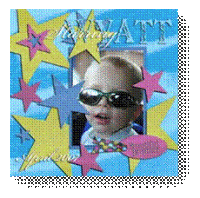
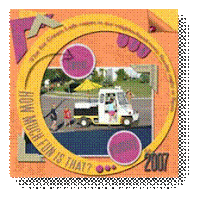
Here is a just a sampling of a few different ClubScrapDigital kits: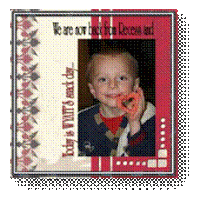
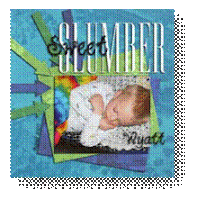
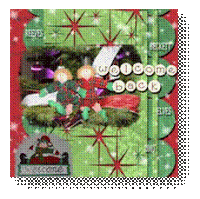
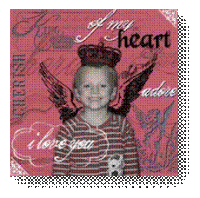
CREATE LAYOUT FROM SCRATCH
In this option you can purchase full digital kits that include various color coordinating digital papers, transparencies, fibers, alphabets, tags, digi-tools, brushes, embellishments like photo turns, brads, paperclips, etc. You can do all sorts of techniques and experiment away with creating all sorts of fun layouts with all the pieces/parts of these kits. There is a wonderful monthly kit available from ClubScrapDigital that I belong to and just adore!!
Here is a just a sampling of a few different ClubScrapDigital kits:


Wednesday, December 3, 2008
Digital Scrapbooking101: Layered Templates

Option Two: INTERMEDIATE
USING LAYERED TEMPLATES
Now if you are looking for a pretty fast, yet more flexible method of digital scrapbooking that gives you more control over your layouts – Digi-Templates might be the way to go for you. Digi-Templates are gray scale layered files that you can easily use over and over again with multiple papers. You can also resize or rearrange the location of photos, mats, paper piecings as well.
 Here is an example of a blank digital template using the same format as in the pre-designed layout as used in Option 1. It is created with black, white and gray areas that you just fill in with patterned, plain papers and digital photos.
Here you can see that I took the simple digital template to the left. I rotated the template 180 degrees, added in papers into the various colored shapes, added a few digital brads, a digital tag with fiber and plunked in my journaling and it was done!!
Tuesday, December 2, 2008
Digital Scrapbooking101: Pre-Designed Layouts
 Option One: EASIEST-BEGINNER
USING PRE-DESIGNED LAYOUTS
These are fast and easy – especially great if you are trying to throw an entire digital book together in a very short amount of time. Also a great way to dip your toe into digital scrapbooking without getting too overwhelmed.
Here is a example of a blank pre-designed layout from ClubScrapDigital this one came with photo mats for 2 large and 2 small photos. All you need to do is add your photos and any extra
 embellishments as you see fit.
 Here you can see that I have taken the blank layout and added 3 of my photos, used a sparkle brush to sprinkle sparkles around the layout. I also used a curly transparency to add more embellishment to the layout. Add some journaling and your done!!
This method makes for quick work, it is extremely fast and easy to throw these pages together. You can get an album done in no time going this route!!
Monday, December 1, 2008
Digital Scrapbooking101: Where to Begin?
Digital Scrapbooking – Where to start?
You will need a few things to get started:
→Digital photos (can be scanned in photos saved as jpg.s)
→Photo Editing Software (like Photoshop Elements, Paintshop Pro, etc)
→Digital papers, pre-designed layouts, or templates
→Digital elements (optional)
There are basically three kinds (or stages) of digital scrapbooking, I will briefly cover them here on my blog and you can try to determine which method will work best for you.
You will need a few things to get started:
→Digital photos (can be scanned in photos saved as jpg.s)
→Photo Editing Software (like Photoshop Elements, Paintshop Pro, etc)
→Digital papers, pre-designed layouts, or templates
→Digital elements (optional)
There are basically three kinds (or stages) of digital scrapbooking, I will briefly cover them here on my blog and you can try to determine which method will work best for you.
Subscribe to:
Posts (Atom)
LinkWithin
